
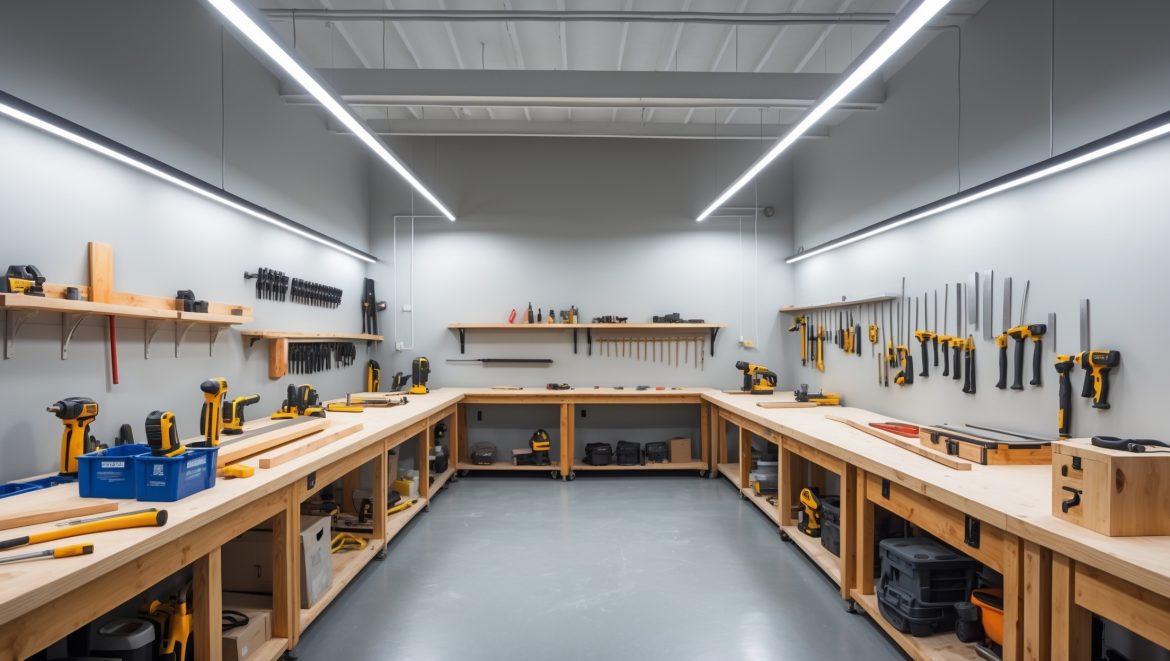
Introduction: The Power Behind Your Creative Space
Setting up a DIY craft workshop is an exciting milestone for any maker, whether you’re carving out a corner in your garage or transforming a spare room into your creative headquarters. But while the right tools, materials, and storage solutions often get plenty of attention, one crucial aspect is frequently overlooked: the electrical setup. Faulty wiring, insufficient outlets, or overloaded circuits not only disrupt your workflow but can also pose significant safety hazards, from tripped breakers to electrical fires. To work confidently and efficiently, your workshop needs an electrical system tailored to your crafting ambitions—whether you’re running a single sewing machine or juggling a laser cutter, glue guns, and dust collectors.
This comprehensive guide demystifies workshop wiring for crafters. We’ll walk you through planning your electrical layout, choosing the right outlets and circuits, lighting options that reduce eye strain, must-have safety upgrades, and how to future-proof your space as your creative needs evolve. Whether you’re a DIY enthusiast with basic tools or a serious crafter investing in power-hungry equipment, you’ll find actionable advice for creating a bright, safe, and productive environment. Let’s flip the switch on a topic that powers every successful craft room!
Understanding Your Power Needs: Assess Before You Wire
Inventory Your Equipment
Begin by listing every tool and device you plan to use in your workshop. Include current gadgets and those on your wish list. Common craft workshop items include:
- Sewing machines, sergers
- Glue guns (high and low temp)
- Heat presses, laminators
- Laser cutters, desktop CNC machines
- Power tools: drills, sanders, saws
- Air purifiers, dust collectors
- Lighting: task lamps, overhead LEDs
- Computer, printer, and charging stations
Check each item’s voltage and wattage (usually found on a label or in the manual). Sum up the total expected load; this helps determine the number and type of circuits you’ll need.
Plan for Simultaneous Use
Think through your workflow. Will you run multiple tools at once? For example, operating a sewing machine while using an iron and running task lighting. Ensure your setup can handle your peak usage without tripping breakers.
Designing Your Electrical Layout
Outlet Placement: Convenience Meets Safety
No crafter ever said, “I have too many outlets!” Aim for more than you think you’ll need. Strategic placement reduces reliance on power strips and extension cords, which are frequent fire hazards.
- Workbenches: Install outlets every 4 feet along the wall behind benches.
- Island worktables: Consider floor or tabletop outlets with protective covers.
- Specialty tools: Dedicate outlets for high-draw equipment (e.g., heat presses, laser cutters).
- Device charging: Add USB outlets or charging stations for phones, tablets, and cameras.
Place outlets 42-48 inches above the floor for easy access above work surfaces. Add a few in corners or near storage for plug-in air purifiers or vacuums.
Dedicated Circuits: Prevent Overload
Certain equipment—like laser cutters, air compressors, or heavy-duty sewing machines—draws substantial power. Assign these tools their own dedicated circuit to prevent overloads. For general outlets and lighting, split them into separate circuits (e.g., one for lighting, two for outlets).
- Standard craft rooms: 15-20 amp circuits are typical.
- High-powered tools: May require 20 amp (or even 240V) circuits; check manufacturer specs.
Label circuits clearly in your breaker box. This makes troubleshooting and future upgrades safer and easier.
GFCI and AFCI Protection: Essential Safety Upgrades
Install GFCI (Ground Fault Circuit Interrupter) outlets anywhere moisture is possible (e.g., basement, garage, near sinks). They instantly cut power if a ground fault is detected, protecting you from electric shock.
AFCI (Arc Fault Circuit Interrupter) breakers or outlets detect dangerous electrical arcs that could start a fire. Many local codes now require AFCI protection in workshops and finished rooms. Consult a licensed electrician for compliance and best placement.
Lighting Your Workspace: Bright Ideas for Crafters
Layer Your Lighting
Crafting demands excellent lighting for accuracy and comfort. Combine these types for best results:
- Ambient: Overhead LED fixtures provide even, shadow-free base lighting.
- Task: Adjustable arm lamps or under-cabinet lights focus directly on your work.
- Accent: Spotlights or color-specific bulbs (e.g., daylight-balanced) for color-critical tasks.
Choose LEDs for energy efficiency and low heat output. Look for CRI (Color Rendering Index) 90+ bulbs for true-to-life color—ideal for painting, sewing, or paper crafts.
Lighting Placement Tips
- Position overhead fixtures to avoid casting shadows over your main work surface.
- Install under-shelf lighting above storage or cutting stations.
- Avoid harsh spotlights; diffuse lighting is easier on the eyes for long sessions.
Must-Know Electrical Safety Tips
Inspect Before You Plug In
Before using any tool or appliance, inspect cords for cracks or fraying. Damaged cords are a major fire and shock risk—replace them immediately.
Extension Cords: Use Sparingly
- Use only heavy-duty, grounded extension cords rated for workshop use.
- Never daisy-chain (plug one extension cord into another) or overload a cord.
- Unplug cords when not in use; avoid running them under rugs or doors.
Power Strips and Surge Protectors
- Choose surge-protected strips for sensitive electronics (computers, digital cutters).
- Never plug high-draw tools (like heat presses or irons) into power strips—plug directly into wall outlets.
Shut Off When Modifying
When changing bulbs, swapping outlets, or moving equipment, always switch off the relevant breaker. If you’re unsure, consult a licensed electrician—DIY electrical work has limits, and safety comes first.
Planning for Growth: Future-Proofing Your Workshop
Consider Expansion from Day One
Even if your current setup is simple, design your wiring for future growth. Extra outlets and a few spare circuits add minimal cost up front but save major hassle later. Leave accessible conduit or raceways for easy wire pulls as your needs change.
Smart Workshop Upgrades
- Smart switches and outlets: Control lights and power remotely via smartphone or voice assistant.
- Energy monitoring: Track your workshop’s power usage to identify energy hogs and save on bills.
- Battery backup (UPS): Protect computers and digital cutters from power outages.
When to Call a Professional
Some electrical tasks are DIY-friendly: adding plug-in lamps, swapping bulbs, or organizing power strips. But for anything involving new wiring, circuit breakers, or upgrades to your main service panel, hire a licensed electrician. They’ll ensure your setup is code-compliant and safe, and may help you avoid costly mistakes or insurance issues down the line.
- Check local regulations; some areas require permits for even minor electrical work.
- Keep records of all electrical upgrades, including photos and receipts, for insurance and future resale.
Common Workshop Wiring Pitfalls (and How to Avoid Them)
- Too few outlets: Results in unsafe daisy-chaining or tripping hazards from extension cords.
- Ignoring dedicated circuits: Leads to frequent breaker trips or equipment damage.
- Poor lighting choices: Causes eye strain, color mistakes, and fatigue.
- No GFCI/AFCI protection: Increases risk of shock and fire, especially in garages or basements.
- DIY work beyond your skills: Risks injury, fire, or voided insurance. Know your limits!
Conclusion: Empowering Your Creativity, Safely
A thoughtfully wired workshop is more than a technical upgrade—it’s the hidden backbone of your creative success. With outlets right where you need them, circuits designed for your equipment, and lighting that flatters your projects, your studio becomes a place where ideas—and tools—flow effortlessly. You’ll spend less time hunting for plugs or resetting breakers, and more time immersed in the joy of making.
Electrical safety isn’t just for peace of mind; it directly impacts your productivity and protects your investment in tools, materials, and even your home. By planning your wiring layout, choosing the right protection (like GFCI and AFCI), and future-proofing for new gadgets, you can turn even a modest craft room into a professional-grade workspace. Remember, while many aspects can be DIY, don’t hesitate to call in a professional for complex jobs—your safety comes first.
With these essentials in place, your workshop will be ready to power every project you dream up, from the simplest scrapbook to the most ambitious handmade business. Flip the switch and let your creativity shine—confident that your electrical setup will keep up with your inspiration.

If I’m planning to run both a laser cutter and a dust collector at the same time, how do I calculate if I need to install a dedicated circuit for each, or is it possible to safely share one?
To determine if you need dedicated circuits, check the amperage rating for both your laser cutter and dust collector (usually found on their labels or manuals). Add their amperages together—if the total exceeds 80% of your circuit’s rating (typically 15 or 20 amps), you should install separate circuits to prevent overloads and ensure safety.
If someone’s on a tight budget, what are the most critical safety upgrades you would prioritize for a basic craft space to prevent hazards while still allowing for some equipment flexibility?
For a craft space on a tight budget, I’d prioritize installing grounded outlets, using GFCI protection (especially if water is nearby), and making sure all wiring is up to code. Avoid overloading outlets by using a power strip with a built-in circuit breaker. These steps will help prevent electrical hazards while allowing you to use different equipment safely.
What are some essential safety upgrades you’d recommend for a basic home craft room, especially if I only have experience with standard household outlets so far?
For a basic home craft room, consider adding GFCI outlets to protect against electrical shocks, especially if you use water-based materials. Install surge protectors to safeguard your equipment. Make sure extension cords are rated for your tools and avoid overloading circuits. Proper lighting with grounded fixtures also improves both safety and comfort.
Can you share some affordable safety upgrades for crafters who are just starting out and might not have a big budget? I want to make sure our workspace is safe without overspending.
Absolutely! For crafters on a budget, start by using grounded power strips with built-in surge protection and always plug them into properly grounded outlets. Add inexpensive outlet covers and cable organizers to reduce tripping hazards. LED work lights provide bright, energy-efficient lighting and stay cool to the touch. Lastly, keep a basic fire extinguisher nearby and make sure your workspace has working smoke alarms.
When listing all my equipment to figure out total power usage, what should I do if I can’t find the wattage on some of my older tools? Is there a safe estimate I can use in those cases?
If you can’t find the wattage on your older tools, you can usually estimate power usage by checking the amp rating on the tool’s label and multiplying it by your workshop voltage (typically 120V or 240V). For small hand tools, a safe estimate is often 500–800 watts, but for larger equipment, try to get the actual specs if possible for safety.
I’m looking to upgrade my craft room lighting to reduce eye strain but I’m not sure whether to go with overhead LEDs or task lamps, as mentioned in the article. Do you have any recommendations on balancing both for different types of projects?
For the best results, try combining both overhead LEDs and adjustable task lamps. Overhead LEDs provide consistent, shadow-free general lighting, while task lamps let you direct brighter light exactly where you need it for detailed work. This setup helps reduce eye strain whether you’re working on large projects or doing fine, close-up tasks.
Could you explain more about which safety upgrades you’d recommend if my craft space is in a finished basement where outlets are limited and I sometimes run both a heat press and a printer at the same time?
In a finished basement with limited outlets, I’d suggest installing dedicated circuits for high-power equipment like your heat press and printer to prevent overloads. Use grounded outlets and make sure they’re GFCI-protected for added safety. Also, avoid using extension cords for heavy equipment, and have a licensed electrician assess your setup to ensure it meets code and handles your power needs safely.
For those on a tight budget setting up a craft space, what are the most cost-effective safety upgrades to prioritize in the electrical setup? Is custom wiring always necessary, or are there safe plug-and-play options for smaller workshops?
For a tight budget, prioritize installing GFCI outlets to guard against shocks, and use heavy-duty surge protectors to prevent equipment damage. If your craft space will only run a few basic tools, you can often use existing circuits with quality extension cords or power strips rather than custom wiring, provided you don’t overload them. Custom wiring becomes necessary only if you need to run high-powered equipment or multiple tools at once.
For someone who’s planning to add a laser cutter in the future but doesn’t have one yet, should I install dedicated wiring now or wait until I actually get the machine? How hard is it to upgrade later?
If you’re pretty sure you’ll add a laser cutter eventually, it’s often easier and more cost-effective to run dedicated wiring now, especially if your walls are open or you’re already doing electrical work. Upgrading later can be messier and may require a licensed electrician, particularly if you need a higher voltage circuit.