
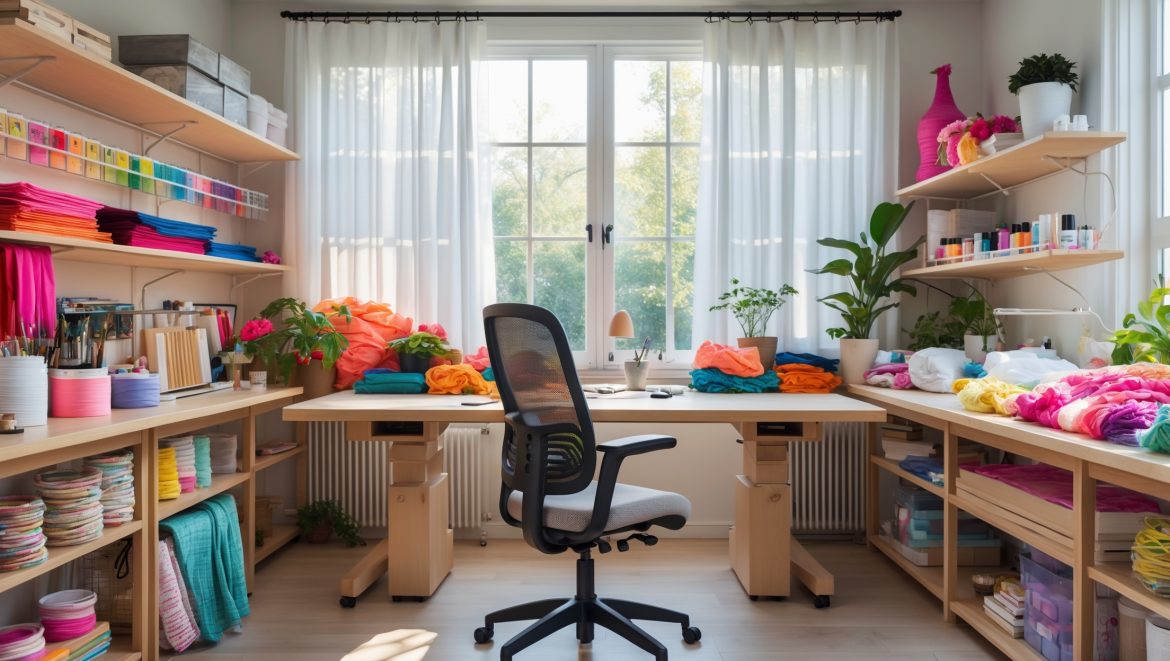
Introduction: Why Ergonomics Matter in DIY Craft Studios
When you immerse yourself in the world of DIY, crafts, and creative living, hours can slip by unnoticed—your focus locked on intricate details, repetitive motions, and the joy of making. But have you ever finished a productive session only to realize your neck is stiff, your lower back aches, or your wrists feel sore? These discomforts aren’t just minor annoyances; over time, they can evolve into chronic pain or even serious injuries that sideline your creative pursuits. That’s where the science of ergonomics comes in: the thoughtful design of your craft studio to fit you, not the other way around. In this comprehensive guide, we’ll break down practical, actionable steps to make your DIY workspace safer, more comfortable, and more productive. Whether you sew, paint, sculpt, or build, optimizing your studio for ergonomics is an investment in your health, longevity, and creative output.
Understanding Ergonomics: The Foundation of Healthy Crafting
What Is Ergonomics?
Ergonomics is the study and application of design principles that adapt workplaces, tools, and tasks to the needs and limitations of the human body. In a DIY craft studio, this means creating an environment that reduces physical strain, supports good posture, and encourages efficient movement, all while minimizing the risk of repetitive stress injuries and fatigue.
Why DIY Crafters Are at Risk
- Repetitive Motions: Cutting, gluing, stitching, and sanding involve repetitive hand and wrist actions.
- Static Postures: Long periods sitting or standing without proper support increase the risk of back, neck, and shoulder issues.
- Poor Workspace Design: Improvised or cramped setups often force awkward positions and overreaching.
Addressing these risks with ergonomic principles prevents discomfort and long-term injury, letting you enjoy your craft for years to come.
Assessing Your Current Workspace: Spotting Ergonomic Red Flags
Common Signs Your Studio Needs an Ergonomic Upgrade
- Frequent neck, back, or shoulder pain after crafting
- Numbness or tingling in hands and fingers
- Fatigue or soreness in legs from standing
- Difficulty reaching or accessing tools and materials
- Clutter forcing you to twist or bend awkwardly
If you recognize any of these symptoms, it’s time to take action. Start by observing your movements and postures during a typical crafting session—note any discomfort or awkward actions. Taking photos or videos can help you spot problem areas objectively.
Ergonomic Workspace Layout: The Building Blocks
Optimal Work Table Height
The right table height reduces strain on your back and shoulders. As a rule of thumb:
- Seated Work: Table height should allow your elbows to rest at a 90-degree angle or slightly more open, with your forearms parallel to the table. For most, this means 28–30 inches (71–76 cm) from the floor.
- Standing Work: For tasks like cutting or assembly, a higher table (36–38 inches/91–97 cm) prevents hunching over. Test with your elbows bent at 90 degrees; your hands should rest comfortably on the surface.
- Consider adjustable-height tables for flexibility if you switch between tasks frequently.
Chair Selection and Setup
- Adjustability: Choose a chair with seat height, backrest, and armrest adjustments.
- Support: Look for lumbar support to maintain the natural curve of your lower back.
- Mobility: Swivel or rolling chairs allow you to reach tools without twisting awkwardly.
- Comfort: Adequate padding and breathable materials prevent discomfort.
When seated, your feet should rest flat on the floor or on a footrest, with knees at or below hip level.
Standing Comfortably: Anti-Fatigue Mats
If you stand for long stretches, invest in anti-fatigue mats to reduce pressure on your feet and lower back. Place them at primary workstations and clean them regularly to prevent tripping hazards.
Strategic Tool and Material Placement
The Reach Zone Principle
Keep frequently used tools and materials within easy reach—ideally within the area you can access without stretching your arm fully. This “primary reach zone” minimizes overreaching and repetitive strain.
- Store core tools (scissors, rulers, knives) in containers or racks at the front edge of your workstation.
- Shelving above or beside your table should be no higher than shoulder height to prevent overhead strain.
- Use drawer inserts or organizers to keep small items accessible and prevent unnecessary digging or twisting.
Vertical vs. Horizontal Storage Solutions
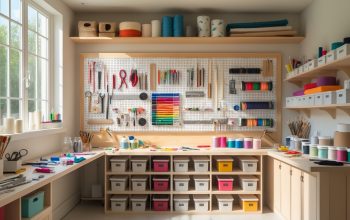
- Vertical Storage: Pegboards, wall-mounted racks, and magnetic strips save space and keep tools visible. Place heavier items lower to reduce lifting risk.
- Horizontal Storage: Use rolling carts or under-table drawers for bulkier materials. Ensure carts have locking wheels to prevent movement during use.
Lighting and Eye Comfort
Natural and Task Lighting
Good lighting reduces eye strain and mistakes. Combine natural daylight (from windows or skylights) with adjustable task lighting:
- Position work tables near windows to capitalize on daylight, but avoid glare or direct sun on your workspace.
- Use LED task lamps with adjustable arms and color temperature (4000–5000K for true color rendering).
- Diffuse overhead lighting to minimize harsh shadows.
Preventing Eye Fatigue
Follow the 20-20-20 rule: every 20 minutes, look at something 20 feet away for at least 20 seconds. This helps prevent eye strain during detailed work.
Hand and Wrist Health: Choosing Ergonomic Tools
Features to Look For
- Soft, Non-Slip Grips: Reduce pressure and allow for a relaxed hold.
- Spring-Loaded Mechanisms: Scissors and pliers that open automatically lessen repetitive strain.
- Lightweight Materials: Lower tool weight decreases fatigue over long sessions.
- Size Appropriateness: Select tools that fit comfortably in your hand size.
Switch hands when possible, and take micro-breaks to stretch fingers and wrists.
Movement and Break Strategies
Micro-Breaks and Stretching
Set a timer to remind yourself to stand, stretch, and walk around every 30–45 minutes. Simple stretches for wrists, shoulders, neck, and back can work wonders:
- Shoulder Rolls: Relieve tension built up during precise work.
- Wrist Stretches: Flex and extend wrists gently to counteract repetitive motions.
- Neck Rotations: Prevent stiffness from looking down or sideways for extended periods.
Consider using sit-stand workstations or alternating between sitting and standing to vary your posture throughout the day.
Special Considerations for Different Crafts
Sewing and Textile Arts
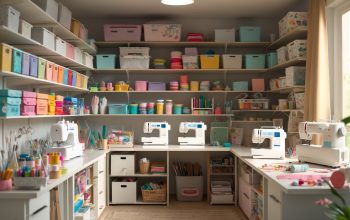
- Invest in a sewing table with a recessed machine tray to keep the work surface flush.
- Mount thread racks and tool caddies at arm’s reach but below shoulder height.
- Use a foot pedal extension if your feet dangle or you strain to reach.
Painting and Drawing
- Use slanted easels or drafting tables to avoid hunching over flat surfaces.
- Adjust stool or chair height so your arm moves comfortably across the work area.
- Keep water jars, brushes, and palettes within the primary reach zone.
Woodworking and Model Building
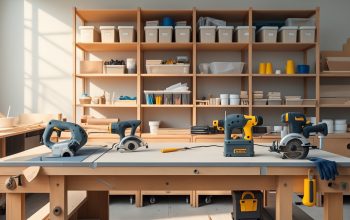
- Ensure power tools are at a comfortable height and mounted securely.
- Use padded grips or vibration-dampening gloves for prolonged tool use.
- Install dust collection at bench height to minimize bending.
Maintenance and Continuous Improvement
Regular Workspace Assessments
Every few months, re-evaluate your setup. Are tools creeping out of reach? Is clutter forcing awkward movements? Tweak your layout as your projects and needs evolve.
Listening to Your Body
Pain or discomfort is your body’s warning system. Don’t ignore it—make adjustments, try new seating or tool options, and consult ergonomic specialists if problems persist.
Budget-Friendly Ergonomic Upgrades
- Repurpose Household Items: Use rolled towels for lumbar support or stacked books to raise monitor height.
- DIY Footrests: A sturdy box or foam wedge works in a pinch.
- Affordable Tool Grips: Add foam tubing to tool handles for better grip and comfort.
- Secondhand Finds: Quality office chairs and adjustable tables are often available used at a fraction of the cost.
Safety and Ergonomics: A Holistic Approach
True ergonomic design isn’t just about comfort—it also enhances safety. A well-lit, clutter-free studio with tools stored within easy reach dramatically reduces the risk of trips, falls, and overuse injuries. Incorporate regular cleaning and organization into your routine, and make sure your most-used items are always accessible.
Conclusion: Invest in Your Body, Fuel Your Creativity
In the world of DIY and crafts, your most valuable tool isn’t your rotary cutter, hot glue gun, or paintbrush—it’s your body. By prioritizing ergonomics in your studio design, you safeguard your health and ensure that creativity flows unhindered by pain or fatigue. Remember, even small changes—like raising your work surface, adjusting your chair, or repositioning your tools—can make a dramatic difference over time. Regularly assess your workspace, listen to your body’s signals, and don’t be afraid to experiment with new setups or ergonomic aids as your projects evolve. The result? Longer, more enjoyable crafting sessions and a creative practice that sustains you for years to come. Start making your studio work for you today—your future self (and your next masterpiece) will thank you.
You mention repetitive motions like cutting and stitching can cause strain. Are there affordable tools or small changes for beginners that can help reduce hand and wrist fatigue, or do I need to invest in expensive equipment?
You don’t need to invest in expensive equipment to reduce hand and wrist fatigue. Simple changes like using ergonomic scissors, taking frequent breaks, alternating tasks, and adding a cushioned mat or wrist rest can really help. Soft grips for tools and proper seating height also make a difference—all affordable options for beginners.
How can I assess whether my current workspace setup is causing long-term issues if I only feel occasional discomfort after crafting sessions?
Occasional discomfort can be an early sign of an ergonomic problem. Try keeping a log of when and where you feel discomfort during or after crafting. Check your posture, seating, and tool placement for alignment with ergonomic guidelines. If discomfort persists or increases, consider adjusting your setup or consulting an ergonomics specialist to prevent long-term issues.
I’m worried because my daughter loves crafting with me, but our table and chairs are sized for adults. How can I make our shared DIY space safer and more comfortable for her without needing expensive, specialty furniture?
To make your craft area more child-friendly, try using cushions or sturdy boxes to raise her chair height and add a footrest so her feet are supported. You can also use a booster seat or a stack of books, and adjust the table setup by bringing supplies closer to her reach. This way, she can work comfortably and safely alongside you without needing to buy new furniture.
Are there specific ergonomic chair or stool recommendations for a small craft studio where floor space is tight? I’m struggling to find something comfortable that doesn’t take up too much room.
For a small craft studio, consider a compact adjustable-height stool with a padded seat and lumbar support. Saddle stools and drafting chairs without armrests often take up less space but still offer comfort. Look for models with wheels for easy movement or a stable base if you prefer stationary seating. Choosing a chair that tucks neatly under your worktable can also help maximize your floor area.
Is there a recommended way to periodically assess your workspace for ergonomic issues, or signs that a specific area needs improving before discomfort sets in?
Yes, it’s helpful to set a regular schedule—like monthly or every few weeks—to review your workspace. Pay attention to any new aches or strains during or after crafting sessions. Check your chair, table height, lighting, and tool placement for comfort. Making small adjustments early can prevent discomfort and promote long-term well-being.
You mentioned repetitive motions like cutting and stitching—are there particular tools or gadgets that can help reduce wrist or hand pain for crafters?
Yes, there are several tools that can help reduce wrist and hand pain. Ergonomic scissors and rotary cutters with cushioned handles can make cutting easier. For stitching, look for padded thimbles or needle grips. Using wrist supports or fingerless gloves designed for crafters can also provide extra comfort during long sessions.
I sometimes get lower back pain after long crafting sessions. Does the article suggest any guidelines for how often to take breaks or do stretches during work?
The article does mention the importance of taking regular breaks and incorporating stretches to prevent discomfort and strain, including lower back pain. It suggests standing up, stretching, and moving around about every 30 to 60 minutes during crafting sessions to help keep your body comfortable and reduce pain.
What are some signs that my current DIY studio layout might be causing long-term strain, even if I’m not feeling much discomfort yet?
Some early signs your studio layout could be causing long-term strain include frequently reaching or twisting to access tools, hunching over your work for long periods, or having to stand or sit in awkward positions. If you notice fatigue in your hands, wrists, neck, or back after crafting sessions, these are also warning indicators of possible ergonomic issues.
How often should a crafter re-evaluate their workspace setup for ergonomics, especially if they change the type of crafts they do or start spending more time in the studio?
It’s a good idea to re-evaluate your craft workspace every few months, or whenever you switch to a new type of craft or increase your crafting hours. Different crafts and longer sessions can put new demands on your body, so regular check-ins help prevent discomfort and keep your setup supportive.
For crafters who share a workspace with others who might be different heights or have different needs, any advice on making the setup ergonomic for everyone without constantly rearranging everything?
To accommodate different users, consider using adjustable furniture like height-adjustable chairs and worktables. Footrests and stackable cushions can help tailor seating for each person. Keep commonly used tools within easy reach for all and use mobile storage carts, so supplies can move with whoever is working without major rearrangements.
You mention repetitive stress injuries from tasks like cutting or stitching. Are there specific types of chairs or stools you suggest for crafters who spend hours seated to help reduce back or neck pain?
Choosing an adjustable chair or stool with good lumbar support is important for crafters. Look for models that let you adjust seat height so your feet rest flat and your knees are at a right angle. A chair with a supportive backrest and, if possible, adjustable armrests can also help maintain good posture and reduce strain during long crafting sessions.