
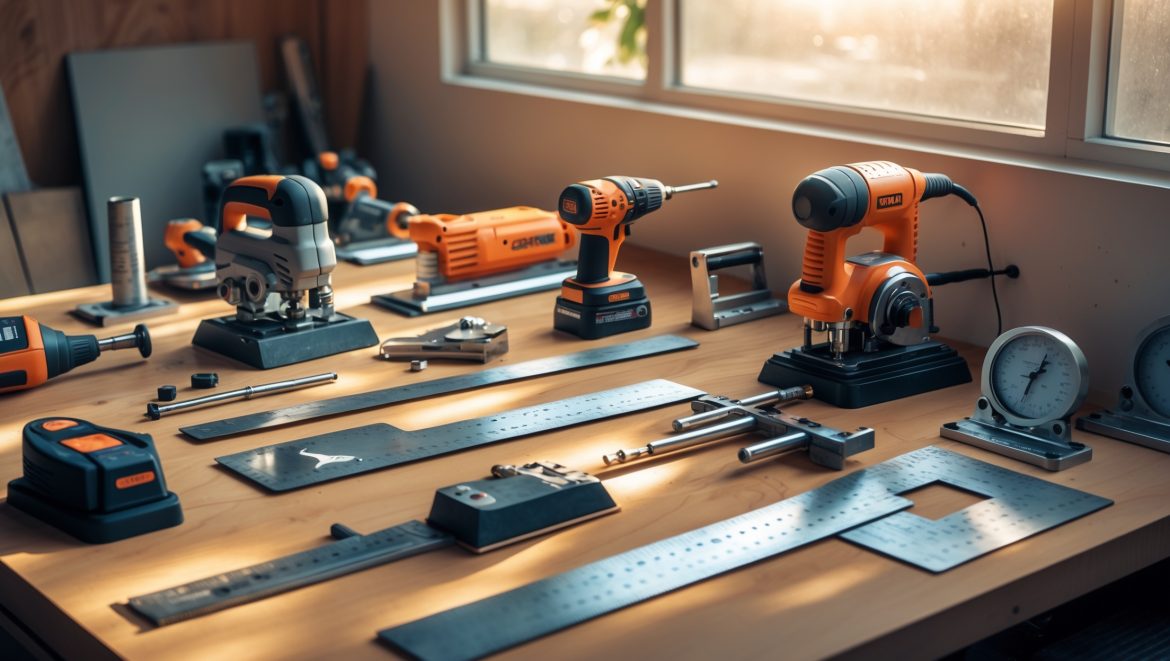
Introduction: Why Precision Matters in Your DIY Craft Studio
Every passionate crafter knows the thrill of transforming raw materials into creative masterpieces. Whether you’re building custom frames, intricate wood decor, or functional home accessories, the quality of your work hinges on one essential factor: precision. In the world of DIY crafts, even a few millimeters of inaccuracy can mean the difference between a flawless project and a frustrating redo. Power tools—drills, saws, sanders, and more—are indispensable in the modern craft studio. Yet, many DIYers overlook one crucial practice: regular calibration. If your miter saw is even a degree off, or your drill press wobbles, your finished piece may not fit together as planned. Calibration isn’t just about perfectionism; it’s about safety, efficiency, and the satisfaction of producing professional-level results from your home studio. This guide will walk you through everything you need to know to calibrate and maintain your craft studio’s power tools for years of creative success. From essential calibration equipment to step-by-step adjustment instructions, plus troubleshooting tips and maintenance hacks, you’ll learn how to keep every cut, hole, and joint as accurate as your creative vision demands.
Understanding Power Tool Calibration: The Basics
What is Calibration?
Calibration is the process of adjusting and fine-tuning your power tools to ensure they operate with the highest possible accuracy. It involves aligning, squaring, leveling, and adjusting settings so that measurements, angles, and movements match their specifications.
Why Is Calibration Critical in DIY Craft Studios?
- Accuracy: Ensures all cuts, holes, and assemblies fit perfectly.
- Consistency: Allows you to reproduce results across multiple projects or batches.
- Safety: Misaligned tools increase the risk of slips, jams, and injuries.
- Tool Longevity: Regular calibration reduces wear and stress on moving parts.
Which Tools Need Calibration?
- Miter saws
- Table saws
- Band saws
- Drill presses
- Routers
- Belt and disc sanders
- Laser measuring tools
Essential Calibration Equipment for the DIY Crafter
Must-Have Calibration Tools
- Combination Square: For checking 90° and 45° angles.
- Digital Calipers: For fine measurements (to 0.01mm or 0.001″).
- Feeler Gauges: To measure small gaps and adjust tool clearances.
- Dial Indicator: For checking runout, flatness, and wobble.
- Precision Ruler: For straightness and distance checks.
- Allen Keys/Wrenches: To make fine tool adjustments.
- Level: For checking tool and workbench alignment.
- Angle Gauge or Digital Protractor: For setting tilt and bevel angles accurately.
- Marking Knife or Pencil: For scribing calibration marks.
Optional Upgrades for Advanced Calibration
- Laser Alignment Tools: For ultra-precise blade and bit alignment.
- Magnetic Base Stands: To hold dial indicators hands-free.
- Surface Plate: For flatness checks (especially for jointers and planers).
Step-by-Step Calibration: Most Common Craft Studio Power Tools
Calibrating a Miter Saw
- Unplug the saw for safety.
- Set the saw to 0° miter and 0° bevel.
- Place a combination square against the saw fence and blade. The blade should be perfectly square to the fence. If not, adjust according to your manual.
- To check bevel, set the square vertically between table and blade. Adjust bevel stops as needed.
- Use a digital angle gauge for fine-tuning. Tighten all adjustments securely.
- Make a test cut on scrap wood. Check the angle with your square; recalibrate if necessary.
Calibrating a Table Saw
- Disconnect power before calibrating.
- Check blade to miter slot alignment. Use a dial indicator or combination square to measure the distance from the blade to the slot at both front and back. Adjust trunnions if needed.
- Square the blade to the table using a digital angle gauge.
- Adjust the fence parallel to the miter slot using a ruler or calipers.
- Check and adjust the blade height and bevel stops.
- Tighten all fasteners and run a test cut on plywood or MDF. Evaluate for burn marks or drift—signs of misalignment.
Drill Press Calibration
- Unplug the drill press.
- Place a square against the table and chuck. Adjust the table so it’s perfectly perpendicular to the drill bit.
- Check runout by inserting a straight rod in the chuck and rotating by hand. Use a dial indicator for precise measurement. If runout exceeds 0.005″, check bearings or replace chuck if needed.
- Adjust depth stops and table height for repeatability.
Router Table Calibration
- Ensure router is unplugged.
- Check if the router bit is perpendicular to the table using a square.
- Check the fence for squareness to the bit and parallelism to the miter slot.
- Use feeler gauges to set distance between bit and fence for precision cuts.
Belt/Disc Sander Calibration
- Disconnect from power.
- Check table angle with a digital protractor; adjust to 90° or desired angle.
- Inspect belt/disc tracking. Adjust tension and alignment as per user manual.
- Test with scrap wood and inspect for even sanding across the surface.
Routine Calibration Schedule: How Often Should You Calibrate?
- Before Major Projects: Always calibrate tools before starting a large or critical project.
- Monthly: Quick checks on squareness, alignment, and runout for most-used tools.
- After Blade/Bit Changes: Recalibrate after swapping out blades, bits, or major components.
- When Results Look Off: If you notice misaligned cuts, uneven sanding, or holes not perpendicular, stop and recalibrate.
Pro Tips for Effective Calibration in Small Craft Studios
- Keep a Calibration Log: Record each calibration date, tool, and results. This helps you spot recurring issues and schedule maintenance.
- Label Reference Points: Use masking tape or stickers to mark zero points, bevel stops, and fence alignments for quick setups.
- Store Calibration Tools Together: Dedicate a labeled box or drawer for your precision tools so they’re always at hand.
- Upgrade When Needed: If your tools won’t stay calibrated or adjustments drift quickly, consider replacing worn parts or upgrading to higher-quality equipment.
Common Calibration Pitfalls and How to Avoid Them
- Skipping Cleanliness: Sawdust, resin, and debris can throw off alignment. Clean tools thoroughly before calibrating.
- Over-tightening Adjustments: Excessive force can strip threads or crack adjustment knobs. Tighten only as much as needed.
- Ignoring Manufacturer Instructions: Always consult your tool’s manual for specific calibration procedures and safety warnings.
- Using Warped Reference Tools: Old or damaged squares and rulers can introduce errors. Check your calibration tools for straightness and replace if needed.
- Neglecting Tool Wear: Worn bearings, bent fences, or dull blades can’t be fixed by calibration alone. Inspect and replace worn parts promptly.
Troubleshooting Calibration Issues
Problem: Cuts Are Still Crooked After Calibration
Solution: Double-check that your calibration tools are accurate. Look for movement or play in the tool’s moving parts. Tighten all pivot points and repeat the process.
Problem: Excessive Blade or Bit Vibration
Solution: Inspect for damaged bearings or bent shafts. Replace worn components. Use a dial indicator to check runout.
Problem: Tool Loses Calibration Quickly
Solution: Examine locking mechanisms and adjustment screws. They may need tightening or replacement. Consider environmental factors—humidity and temperature changes can affect wood-based tables and fences.
Calibration for Specialty Tools and Materials
- Laser Cutters: Focus lens alignment and bed leveling are crucial for sharp cuts. Use feeler gauges and calibration cards.
- 3D Printers: Bed leveling, axis squareness, and extruder calibration ensure accurate prints. Use digital calipers and printable test files.
- Craft Plotters: Blade depth, pressure, and registration marks must be checked and adjusted for precise cuts on vinyl, paper, or fabric.
Maintaining Calibration: Storage and Environmental Factors
- Climate Control: Store tools in a dry, temperature-stable area to prevent warping and rust.
- Protective Covers: Use dust covers or cases for sensitive power tools when not in use.
- Periodic Lubrication: Lubricate moving parts according to manufacturer recommendations to maintain smooth adjustments.
- Regular Inspection: Inspect fences, tables, and adjustment knobs for wear or damage during routine calibration.
Calibration and Safety: The Overlap
- Proper calibration reduces the risk of blade binding, kickback, and tool jams—common causes of craft studio injuries.
- Misaligned tools can cause excessive force or awkward handling, increasing the chance of strain or accidents.
- Always wear proper PPE (eye and ear protection, dust masks) during both calibration and regular tool use.
Conclusion: Building Precision into Your Creative Process
In the vibrant world of DIY, crafts, and creative living, your power tools are your most valuable allies. But even the best equipment can deliver disappointing results if it’s not properly calibrated. By making calibration a regular part of your studio routine, you’ll enjoy more accurate cuts, smoother joints, and truly repeatable results—no matter how complex your next project may be. Calibration doesn’t have to be intimidating or time-consuming. With a basic set of precision tools, a methodical approach, and a commitment to checking your work before every major build, you’ll extend the life of your gear, improve safety, and elevate the quality of everything you create.
Remember: Calibration is not a one-time event. It’s an ongoing conversation between you, your tools, and your creative ambitions. Don’t wait until a project goes wrong to check your alignments; make it a positive ritual that underscores your commitment to craftsmanship. Document your adjustments, stay alert for signs of tool wear, and invest in quality calibration gear as your studio grows. The time you save on rework, the materials you conserve, and the pride you’ll feel in flawless finished pieces will pay back your efforts many times over. So next time you step into your craft studio, take a moment to calibrate—and watch your creativity come sharply into focus.

Could you explain which calibration equipment is absolutely necessary for beginners who just want to do simple projects, and which tools can wait until we tackle more advanced crafts?
For beginners focusing on simple projects, a basic combination square, a reliable tape measure, and a decent bubble level are essential for most power tool calibrations. More specialized tools like digital calipers, dial indicators, or laser distance measurers can wait until you take on advanced or precision-heavy crafts. Start simple and add as your skills grow.
After calibration, how do you verify that your cuts or drill holes are as accurate as your specifications demand? Are there practical tests or checks you use right after adjusting the tools?
After calibrating your tools, it’s smart to make test cuts or drill holes in scrap material matching your project. Measure the results with a reliable square, caliper, or ruler to check for accuracy against your specs. If you’re cutting, check for square angles or consistent dimensions; for drilling, confirm hole size and placement. Make any fine adjustments, then repeat the test until you’re satisfied.
You mention step-by-step adjustment instructions and troubleshooting. What are the first things you check when your cuts or holes start getting noticeably inaccurate even after calibration?
When accuracy issues persist after calibration, I first check if the tool is securely mounted and if any parts have loosened with use. Next, I inspect the blade or bit for dullness or damage. I also verify that the workpiece is positioned correctly and that guides or fences are square. Dust buildup can cause inaccuracies too, so I make sure everything is clean before recalibrating.
If I notice my cuts aren’t lining up perfectly or my drill press seems a bit off, what’s the first thing I should check before trying a full calibration?
Before diving into a full calibration, check that your tool is properly secured and all fasteners are tight. With saws, make sure the blade is sharp and clean, and with a drill press, confirm the worktable and chuck are firmly in place. Sometimes, a quick check and tightening can resolve small alignment issues.
When calibrating a miter saw, what are some common mistakes beginners should watch out for to avoid ending up with inaccurate cuts?
When calibrating a miter saw, beginners often forget to check that the saw blade is perfectly perpendicular to the table and fence. Not tightening adjustment screws properly after making changes is another common mistake, which can throw off accuracy. Also, relying solely on the saw’s factory settings without using a reliable square can lead to imprecise cuts.
If I’m working with several tools, like drills and sanders, is there a recommended order for calibrating them, or can I do it in any sequence? I want to be efficient with my time in the studio.
You can calibrate your drills and sanders in any order, but you might find it more efficient to group similar tasks together. For example, calibrate all your measuring tools first, then move on to drills, followed by sanders. This way, you streamline your workflow and minimize tool changes.
The article talks about calibration impacting tool longevity. Can you give practical tips on how often to check for wear or imbalance, and what signs to look for before a problem affects the final project?
To keep your tools in top shape, inspect them before each use—look for unusual vibrations, uneven cuts, or unfamiliar noises, which can signal imbalance or wear. For frequently used tools, a monthly calibration check is wise. Also, watch for loose parts, rust, or blade dullness, as these early signs can impact your project quality if not addressed promptly.
When calibrating power tools for a batch project, how can I ensure the consistency you talk about across multiple identical pieces, given slight tool drifts over time?
To keep consistency across multiple pieces, recalibrate your power tools at the start and periodically during your batch project, especially after cutting several items. Use reference guides or jigs for repeated setups, and check your output against a control piece regularly to catch any drift early. This helps maintain accuracy throughout your project.
When calibrating tools for the first time, is it better to focus on aligning angles or leveling surfaces, or do you recommend a specific sequence to ensure consistent results?
For the best consistency, start by leveling surfaces first. A stable, level foundation ensures your angle adjustments are accurate. After confirming the tool is level, move on to aligning angles as needed. This sequence helps prevent cumulative errors and keeps your calibrations precise throughout your DIY projects.
Could you explain which calibration steps are different for sanders compared to tools like drills or saws? I have mostly sanding tools and want to be sure I’m maintaining the right things.
For sanders, calibration mostly focuses on checking the flatness and evenness of the sanding pad or belt, and ensuring the sanding surface moves smoothly without wobble. With drills and saws, calibration usually involves aligning the chuck or blade and checking for accuracy in angles. For your sanders, regularly inspect the pad or belt alignment, tension, and any vibration, as these are less relevant for drills or saws.
Could you explain how often you should recalibrate tools like miter saws or drill presses if you use them weekly for different craft projects? I’m wondering if there’s a general rule or if it depends on specific signs of inaccuracy.
For tools like miter saws and drill presses used weekly, a good rule is to check calibration monthly. However, if you notice signs like uneven cuts, drifting holes, or changed resistance during use, recalibrate sooner. Always check alignment after moving your tools or switching blades or bits, since these changes can affect accuracy.